To search
Softonic Rating:
Very good:8/10
License:
Evaluation
Added:
February 9, 2007
Updated:
May 8, 2008
Publisher:
Website
File size:
5.9 MB
Downloads:
180
Cyril Roger

“Vectorial imaging for Mac”

by Cyril Roger

Photoshop might dominate the image editing market but there are other excellent alternatives like Acorn, Pixelmator or specifically Drawit.

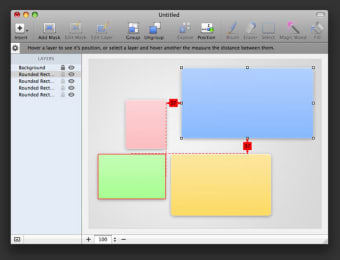
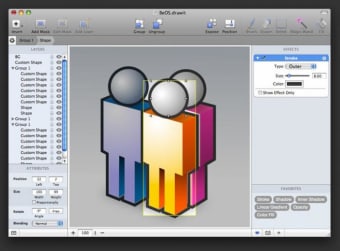
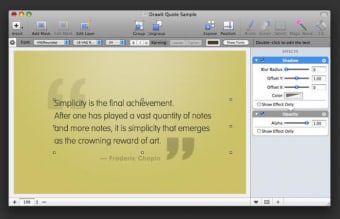
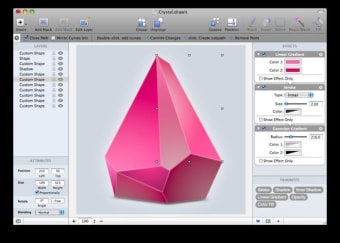
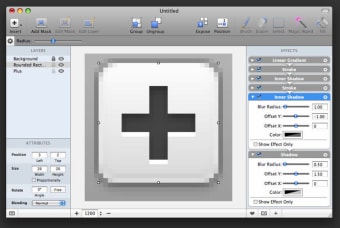
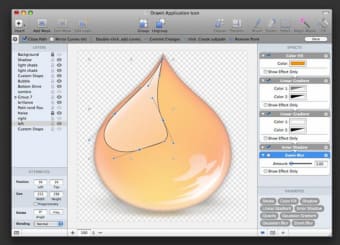
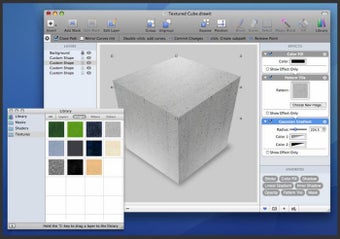
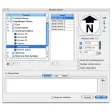
The application has a clean interface yet is filled with features, so be ready to spend a bit of time to fully master it. The image editor offers from classic editing features like magic wand, fill or brush to more advanced elements like layers or effects. We quite liked how you could tag these in the bottom right of the interface for quick access. Groups, text formatting, blending and masks are also really well handled by the program. That said, Drawit's standout features have got to be vector drawing and bitmap tools though.

If you want to add your own touch to your image, you'll be glad to learn that Drawit supports many plugins, CoreImage filters and layers. You can export images as icons or choose from a number of widely used image formats.

Drawit is an excellent alternative image editor, with a wealth of powerful features and tools to work with. If you take the time to learn how to use it, you won't be disappointed.

Languages:

English

Limitations:

Watermark
Does not allow you to make your own templates

OS requirements for DrawIt:

  • OS: Mac OS X

Minimum requirements:

  • Processor: PPC/Intel MHz
  • Mac OS X 10.4 or later
Pros
  • Vector drawing
  • Text formatting
  • Blend modes, masks and groups
  • Tag favorite effects
Cons
  • Can take time to get to grips with
Did you like this review?
2 of 5 users liked it (40%)

DrawIt Softonic Rating: 8Featured program

Softonic gives special recognition to software of exceptionally high quality. More information

From the publisher of DrawIt

DrawIt is an easy-to-use, powerful image editing and drawing application designed for the Mac. It features entirely non-destructive editing, live filters, powerful vector tools, a standard collection of basic shapes and also a clear and intuitive interface.

Out of the box, DrawIt includes a large number of ready-to-use and easily customizable special shapes; circles, stars, rounded rectangles and polygons, as well as support for an unlimited number of nested groups, masks and custom overlays.

DrawIt supports over 50, stackable, nondestructive Core Image filters. Individual properties can be freely edited, regardless how many filters have been applied. Filter properties can be readjusted and/or reordered at any time; the original object is never discarded.


Posts about DrawIt in our blog

DrawIt options

DrawIt Options

Reviews for DrawIt in other languages

  • DrawIt (Análisis en español)
Softonic Rating:Very good
User Rating
Your opinion is important!
equestrian

Download stats

Related

Related searches

Are you the developer of DrawIt?

If your program has received a Softonic rating, feel free to use the following award badge on your site or as part of any other promotional feature you may be putting together.

DrawIt Softonic Rating

Click on the above text field to copy the necessary HTML to your clipboard and then paste it to your website. It will display your program's Softonic Rating and will link to your program page.

Any queries? Contact us if you want more info.

Close